What is PixNova AI?
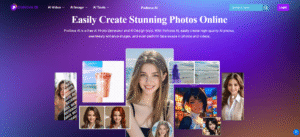
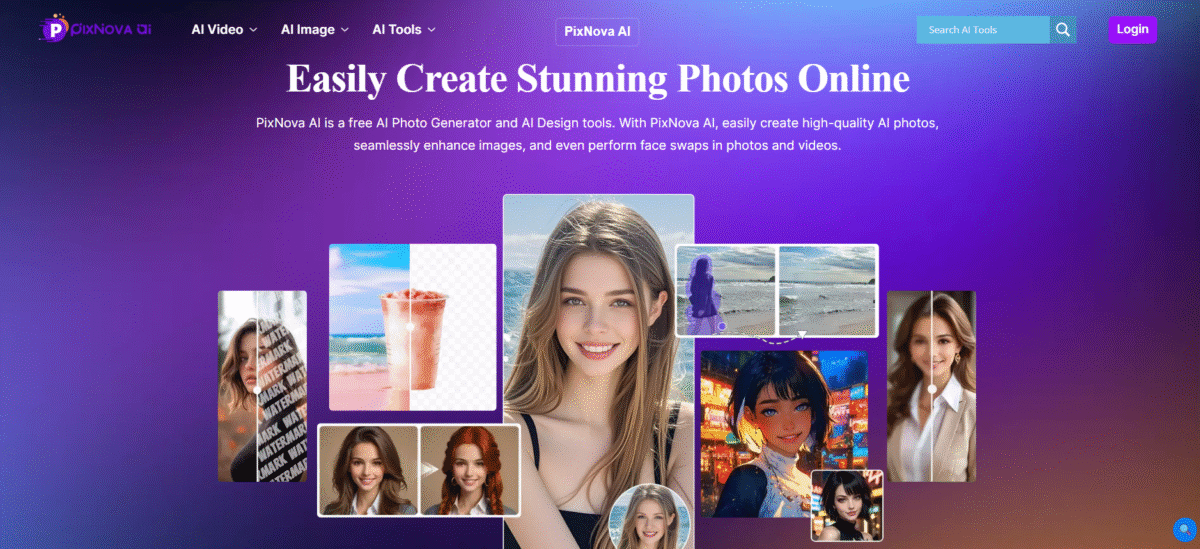
PixNova is image generation software can generate images and designs, morph faces in images and video, create custom body images from written descriptions, and remove backgrounds or watermarks by clicking a single button or performing a two-step process.
Pixnova’s free website provides online image creation services to help marketers promote their businesses through content creation and online platforms (blogging, social media), graphic designers create quality graphics without the need for technical skills or creating an account or installing software.
Whether it is text to image, face swap, background removal, or style transfer, PixNova is a one-stop solution for content creators, designers, marketers, and enthusiasts. All processing is securely done in the cloud with no data retention, and it can be done from any web browser on any desktop or mobile device.
What makes PixNova stand out from the rest is that it has the ability to edit multiple subjects in one image when it comes to group photos that contain multiple faces.
Key Features of PixNova AI
-
Text-to-Image Generation
With over 100 artistic styles to choose from, you can generate custom artworks using textual descriptions quickly and efficiently. Users can make their own avatar, portrait, or any form of visual concept within seconds.
-
Advanced Face Swapping
Swap faces in images, videos, and GIFs with natural results on all occasions and provide for accurate alignment, lighting, and skin tone matching and will result in realistic looking results.
-
Image Enhancement and Upscaling
Using deep learning super-resolution, a photo’s resolution can be increased by 4x without any quality loss while also increasing the clarity of images, adding sharpness and enhancing the detail in images.
-
Creative Photo Transformation
Transform photos into anime-style portraits, hand-drawn sketches, professional headshots, and custom visual styles using different transformation modes.
-
Background and Object Removal
Remove unwanted objects, people, or distractions from images using advanced inpainting that automatically fills areas with naturally matched textures and lighting.
-
Photo Editing and Manipulation
Edit clothing, body proportions, hairstyles, makeup, and specific facial features using intuitive tools that learn from user selections to produce better results.
How to Use PixNova AI
- Open your favorite web browser on your computer or mobile device.
- Enter “pixnova.ai” in the address bar and press Enter.
- Get familiarize with the homepage layout. You will notice different options and features highlighted.
Who Can Use PixNova AI
- Creators and influencers use these tools to make visual content to engage audiences across social media channels, including Instagram, TikTok, and Facebook.
- Individuals looking to create fun, customized, or creative social media content that features their identity (AI-based facial swaps/cartoon transformations/a new hairdo) benefit from using social media networks.
- Marketers and companies will be able to advertise their products via commercial advertisement campaigns and generate marketing communications with “mock-ups” of products, without having to shoot photographs.
- Graphic designers and artists will be able to produce concepts, prototypes, and artistically transform pieces of art or artistic work quickly.
Pros & Cons
Pros:
- Completely free to use
- Provides a range of AI-powered tools
- Friendly interface
- Suitable for both personal and professional use
- Does not require credits or subscriptions
Cons:
- The quality and realism of the images produced may vary
- Performance requires internet connectivity
- Fewer advanced customization options than in paid software
- The free AI software may not have the same performance standards as paid software
Pricing & Plan
Plus – Monthly ($21.75/month)
This pricing plan lets you enjoy 10,000 credits per month with priority processing, 1080p face swap videos, and high limits for video, photo swaps, and AI image tasks, great for regular users.
Plus – Yearly ($217.5/year)
This pricing plans allows you to take advantage of the same 10,000 credits per month with priority processing, 1080p face swap videos, and high limits for video, photo swaps, and AI image tasks at a lower yearly cost, great for regular users.