What is Let’s Enhance?
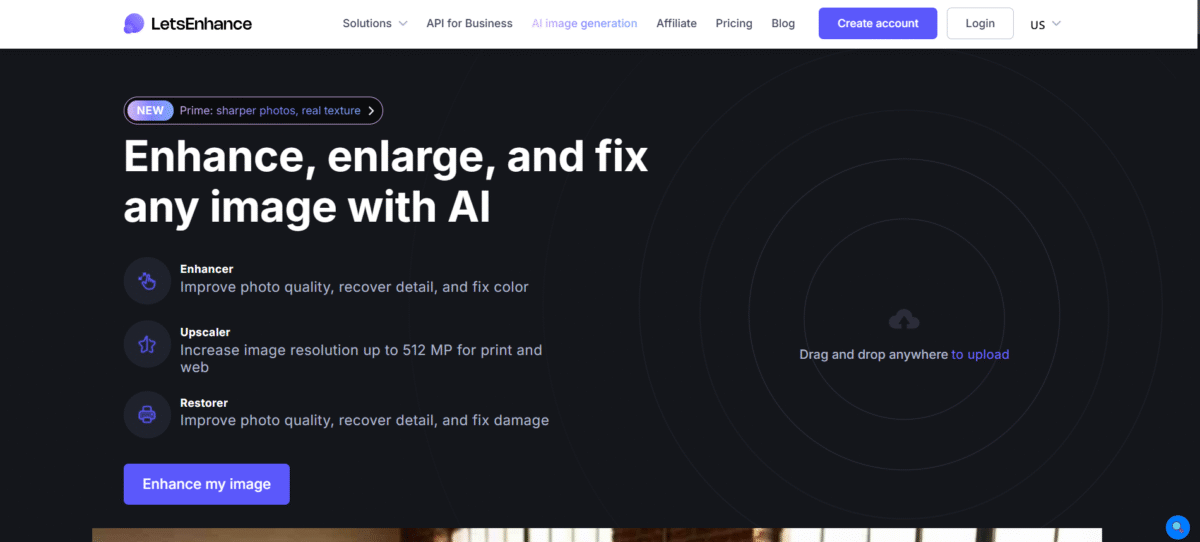
Let’s Enhance is a very powerful tool that uses AI to automatically improve and upscale any image. This allows a user to increase the quality, colors, and lighting of an image, as well as remove JPEG artifacts, all without editing the image.
The tool can also create images from text, resize images for personal and business needs, and even upsize the resolution of any image up to 500MP with a density of 300+ DPI.
Key Features of Let’s Enhance
-
AI Upscaling
You can upscale your image to 4K without any lossing image quality.
-
Color and Light Adjustments
It enables you tomake precise adjustments in image color balance, contrast, and brightness.
-
Fixed Pixelations and Blurs
You can sharpen blurred images and also fix low-quality pixelated images.
-
Batch Processing
It allows you to process multiple images in one project.
-
AI Art Generation
This ingenious tool helps in generating original images using AI models.
How to Use Let’s Enhance?
- Sign up and get 10 free credits.
- Drag and drop your image in the “my images” section.
- Turn on the Light AI for color correction with HDR, tone, or color.
- Select settings for old images or text.
- Click on “Start processing” to let the AI complete the process.
- Download the enhanced image.
Who Can Use Let’s Enhance?
1. Photographers
It is perfect for improving clarity, removing noise, and enhancing image resolution, especially with low-resolution “bad originals” or when creating large images suitable for framing.
2. eCommerce Sellers & Marketers
You can use this ingenious tool to improve product images and marketing images to enhance conversions, ensuring that images are clear and of high resolution for online marketplaces.
3. AI Artists & Creators
It allows for effectively making AI images better, cleaning them up, and upscaling them to 4K or 8K resolutions to make them usable in the business sector.
4. Designers & Print-on-Demand Businesses
You can use it to generate high-resolution images at 300 DPI for printing on posters, canvases, and more.
5. Real Estate Agents
It is even used to improve images of properties to make them more presentable in listings.
6. General Users
It is perfect for anyone who wants to improve blurry, pixelated, or low-resolution images from their cameras or other sources.
Pros & Cons
Pros
- Easy to use.
- High-quality upscaling of images without any loss of detail.
- Time can be saved on long projects using a batch rate.
- It can improve photos and make AI art.
Cons
- Only limited free use.
- The time for processing images will depend on the various sizes of images.
- It needs to use the internet for processing images.
Pricing & Plan
Free
100 credits/month, watermark on images, email support.
Basic ($12/month)
300 credits/month, no watermark, upscale images up to 256 megapixels, unlimited storage for 6 months, priority enhancement, chat support.
Standard ($32/month)
500 credits/month, all features of the Basic plan + early access to new features, save up to 1800 unused credits.
Premium ($45/month)
Same features as standard plan + 1000 credits/month, save up to 3000 unused credits.