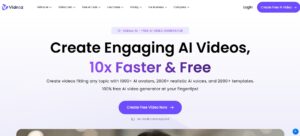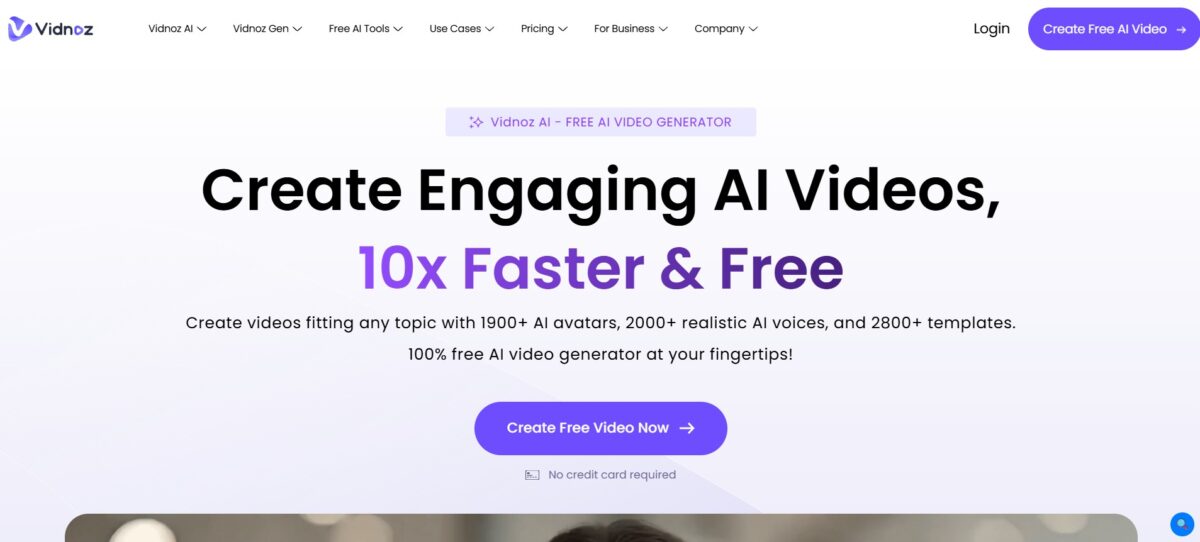
What is Vidnoz?
Vidnoz AI is a free video production platform that uses AI to make video production fast, easy, and accessible. The entire video creation process is automated by the platform. This includes the creation of a screenplay, voice-overs, lip-syncing, and finally the output.
With Vidnoz AI, users can create various types of videos. These include promotional videos and e-learning content. Vidnoz AI can be described as a mixture of Canva and Pixar without the animation cost.
Key Features of Vidnoz
-
AI-Powered Avatars
Provides over 400 lifelike AI avatars to narrate and present your content.
-
Video Templates
Gives access to over 400 customizable video templates to suit different themes and uses.
-
AI Voice Cloning
Uses industry-leading AI technology to clone voices to suit different languages and accents.
-
Custom AI Avatars
Allows you to create your personalized avatars from any videos to represent you or your business.
-
Multilingual Support
Supports over 140 languages to reach a larger audience and keep them engaged.
How to Use Vidnoz?
- Upload an image (use a stock avatar or upload your own).
- Write your script or paste your text content.
- Choose your voice (pick language, tone, and style).
- Lip sync your avatar with animation.
- Add subtitles, music, and your own assets.
- Preview and export (free accounts include a watermark; paid accounts do not).
Who Can Use Vidnoz?
- Content Creators are used for quickly creating dynamic content.
- Educators and Trainers use it for developing engaging educational content.
- Marketing Professionals use it for designing promotional content to grab attention and convey the message effectively.
- Social Media Influencers can easily create content to stay active online.
- Users use it for non-profits to create stories and awareness content, and indie game developers to shoot character dialogue scenes.
Pros & Cons
Pros
- Easy entry for beginners.
- Powerful AI avatar and lip sync features.
- Supports multiple languages.
- Free plan available for testing.
- Affordable pricing plans.
Cons
- Watermarks on the free plan.
- Not as feature-rich as enterprise solutions.
- Not many in-depth manual editing features.
Pricing & Plan
Free Plan
The free plan offers a 3 minutes video generation per day, 1100+ AI Avatars, +300 AI Voices, and 1300+ video templates.
In addition to that, the free plan offers a limited export resolution of 720P, 2000 characters per scene, and 20 AI scripts for your videos. However, the limitation of the free plan is the 3-minute video generation per day.
Starter Plan
The starter plan will cost $19.99/month if you purchase the license yearly. This plan offers additional AI Avatars, AI Voices, and video templates.
This plan also offers the export of AI videos in 1080P. This plan is suitable for those who need to generate a few videos in a month. This plan offers the most relevant features.
Business plan
It costs $56.99 per month. If you are using the starter plan, you can generate 15 minutes of video per month using AI videos, but it is restricted if you want to generate more video content.
In the case of the business plan, you can generate 30 minutes per month using AI videos. You can buy more minutes, whether you are using the starter plan or the business plan.