What is Spikes Studio?
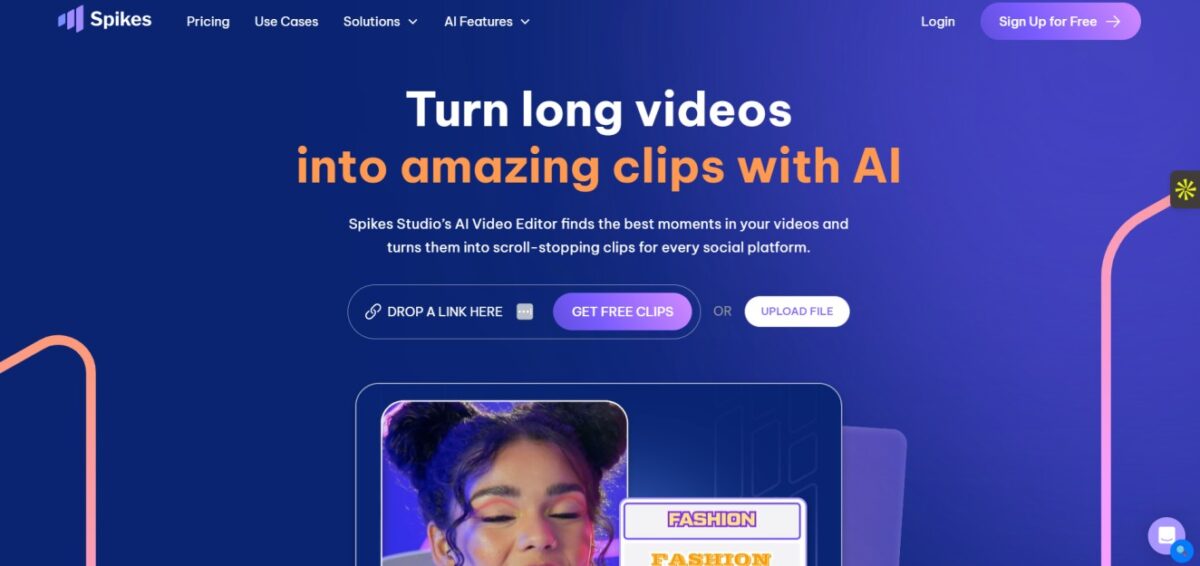
Spikes Studio is an AI clip generator that can help in creating a viral clip from a long video for use on YouTube, TikTok, Instagram Reels, and other platforms.
This app can trim your videos so that you do not miss any of the best parts of your video.
The app can also assist you in downloading your clips using a QR code and make sure that you can share your clips on various platforms.
Key Features of Spikes Studio
AI-Powered Clip Generation
This ingenious tool automatically identifies and extracts key moments from long videos to generate interesting clips.
Auto Captions
Accurate captions (99%+) create an increase in both viewer engagement and the accessibility of your video content.
Multi-Platform Optimization
It allows you to create and distribute video clips to drive traffic to your content across various platforms such as YouTube, Twitch, TikTok, and Instagram Reels.
Customizable Clip Lengths
This tool allows creators to modify the length of clips according to the requirements of specific platforms.
Bulk Editing
It provides the facility for processing multiple videos at once, saving the time of creators and marketers.
GIFs and Animations
Creators can use this tool to add GIFS and animations to video, which may help keep their audience engaged.
B-Roll Integration
It automatically adds B-roll content to enhance the overall viewing experience.
Social Media Stickers
It includes platform-specific stickers to enhance the reach of the content.
Mobile Support (Spikes GO!)
It gives you the facility of mobile video editing on a mobile.
Social Media Scheduler
It allows you to schedule the video clips to post directly to connected social media accounts.
How to Use Spikes Studio
- Sign up on Spikes Studio’s website using Google, Facebook, Twitch, or email.
- Upload a video, or add a YouTube video link, or connect a Twitch stream.
- Then, the AI processes the video and finds interesting and high-potential moments.
- Edit the AI-generated clips by adding auto-generated captions, changing templates, and modifying styles, colors, and fonts.
- Review and download or share the edited clips directly to social media sites.
Who Can Use Spikes Studio
- YouTubers, TikTokers, and content creators use Spikes studio to produce viral and engaging content on platforms
- like Instagram Reels and Snapchat are looking for Twitch Streamers.
- Digital Marketers & Agencies who need to use long-form video content to boost engagement, reach, and revenue for their clients.
- Small businesses and teams that want to produce professional content without requiring a full production crew.
Spikes Studio Pros & Cons
Pros:
- Helps speed up video editing using advanced AI features
- Easy to create platform-specific and engaging short videos
- Supports multiple languages and social media formats
- Excellent collaboration and scheduling features
- Helps gain insights using analytics
Cons:
- Presence of watermarks on the free plan videos
- Presence of some features that can only be found in the paid plans
- Reliable internet connectivity because of cloud processing
- The quality of AI-generated clips may require tweaking to attain perfection
Spikes Studio Pricing & Plan
Free Plan
The free plan enables the user to edit videos of up to 5 minutes duration with watermarks and limited features.
Paid Plan
The paid plans begin at $32.99/month for the Pro+ package, which includes 300 minutes of export time, higher quality, etc.
Enterprise Plan
The enterprise plans are custom-priced for those teams that require higher features and higher limits, as many users find the paid plans to be well worth the cost for content creators and business needs.