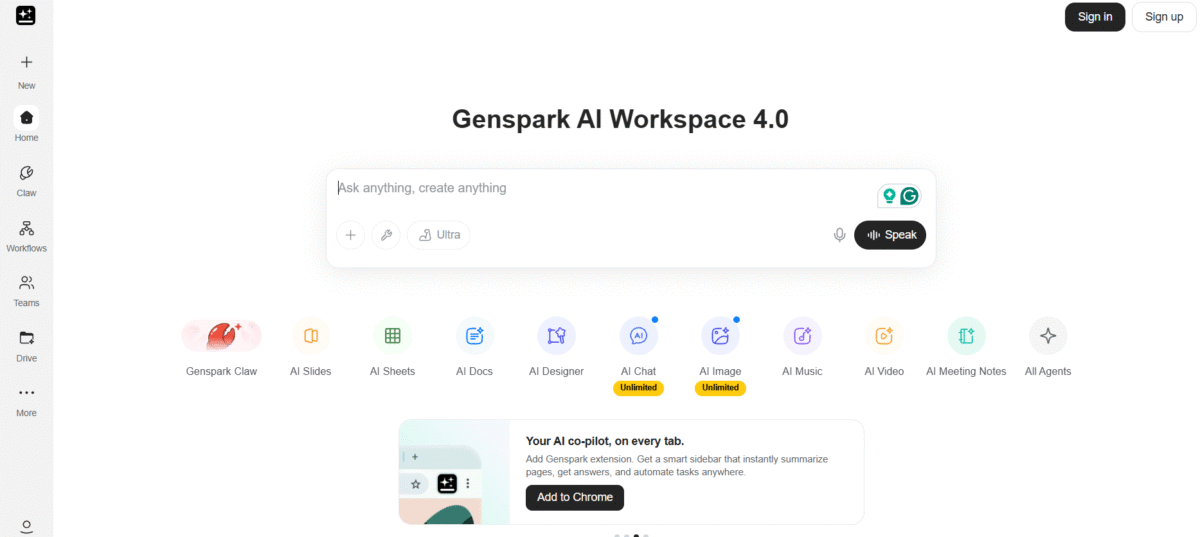
What is Genspark AI?
Genspark AI is a complete AI ecosystem where users can conduct research, compose documents and slides, create images and videos, code and build websites, and much more in one go. Unlike other AI tools that are used separately for each task, the user just needs to use Genspark to turn their ideas into reality.
The unique element of the system is Super Agent, which is capable of breaking a difficult request down to simpler tasks, selecting the right models/agents, and completing the process for you. Also, the Genspark platform unifies a number of AI models, including those of different providers of AI systems.
For example, when you do not have to seek any information from an AI chatbot about the market and make a presentation out of it on your own, Genspark can conduct the research and even create the presentation itself in one single process.
Key Features of Genspark AI
-
Autonomous task execution
From writing emails to creating reports, Genspark can execute tasks with minimal input.
-
Real-time voice automation
It makes perfect use of artificial voices to make phone calls and book appointments.
-
Multimedia content creation
You can use it to create videos, presentations, and web pages in a matter of seconds.
-
Sparkpages
This tool helps in the effective generation of custom pages based on research results in a simple and user-friendly way.
-
Simple interface
It is designed for users without technical expertise, including a drag-and-drop interface without coding requirements.
How to Use Genspark AI
- Go to the Genspark website and sign up for an account.
- Select the tool or agent that is relevant to your work, or try out Super Agent in case of a complex task.
- State your objective and give any relevant details, context, or source content.
- Allow Genspark to handle the planning and doing of the task for you.
- Check and modify the output accordingly.
- Download, edit, share, or continue working on the finished output.
Who Can Use Genspark AI
- Researchers & Analysts: You can use Genspark’s Deep Research agent to write detailed reports with citations.
- Developers & IT Professionals: You can use the AI developer mode to write HTML/CSS, create landing pages, and even develop functional web applications using text prompts.
- Marketers & Content Creators: You can write images, videos, and long-form content with the instant feature.
- Business Professionals: You can automate routine tasks using the “Call for Me” feature.
Pros & Cons
Pros
- Combines research, writing, presentations, images, videos, spreadsheets, and coding all in one platform
- Super Agent is capable of completing complex multi-step tasks without constant prompts from you.
- Gives access to multiple AI models that are industry leaders
- Can be used not only for generating chat answers but also to produce finished work
- Features AI Slides, Docs, Sheets, Code, Images, and Videos
- Provides Deep Research features
- Paid plans include AI Drive storage.
- Supports commercial use of AI-generated content on current paid plans, subject to Genspark’s terms
Cons
- The large number of tools can feel overwhelming when you first start.
- Complex operations may burn up your credits fast.
- Even AI-generated work requires human supervision
- The output will depend on the operation and model used.
- Some of the more sophisticated features will depend on your plan and credits.
- Too heavy use may make the Pro plan costly
Pricing & Plan
Free Plan
This plan is best suited for students, occasional users, or those who want to try the platform with no financial obligation. They can try the basic features, such as the creation of a Spark page or document. The credit limit is low, which is suitable for occasional usage.
Plus Plan (approx. $19.99–$24.99/month)
This plan is a perfect option for freelancers, content writers, researchers, and writers. They can access the best agents to perform complex activities such as conducting literature surveys and writing presentations. The credit and storage limits are best suited for weekly usage.
Pro Plan (approx. $199–$249.99/month)
This plan is ideally suited for businesses, agencies, and companies with high requirements to produce content using AI. It is best suited for daily usage with high credit and storage limits.